
Time Management for Freelancers: 27 Proven Strategies, Templates, and Tools (2025)
Freelancing gives you freedom—but without a smart system, that freedom can become scattered days, half-finished tasks, and creeping burnout. Time management for freelancers isn’t about working longer; it’s about designing a repeatable way to focus on what moves the needle, finish work you’re proud of, and still have a life.
Below you’ll find a complete playbook: principles, daily and weekly routines, time-blocking and Pomodoros, deep-work tactics, tool stacks, automation ideas, boundary scripts for clients, and review templates. Skim the table of contents, jump to what you need, and bookmark this guide for weekly tune-ups.
Table of Contents
1) The Freelance Reality: Why time management for freelancers is different
Traditional jobs give you structure by default; freelancing asks you to create it. You juggle multiple clients, shifting priorities, and unplanned admin (invoicing, proposals, follow-ups). That means time management for freelancers must:
Maker’s Schedule, Manager’s Schedule
- Protect deep-work windows from meetings and pings
- Translate vague client needs into clean, scoped tasks with deadlines
- Balance creative flow with admin, sales, and delivery
- Prevent feast-or-famine scheduling by pacing capacity and pipeline
When you design for those constraints, your calendar stops feeling random, and momentum returns.
2) Core Principles (that never stop working)
- Plan before producing. Ten minutes of planning can rescue two hours of wandering.
- One priority block before noon. Start with the hardest/high-value task.
- Friction beats willpower. Default calendars, templates, and automations carry you on tough days.
- Time is inventory. Treat hours as finite stock; sell and schedule accordingly.
- Review cycles compound. Weekly reviews make time management for freelancers smarter every month.
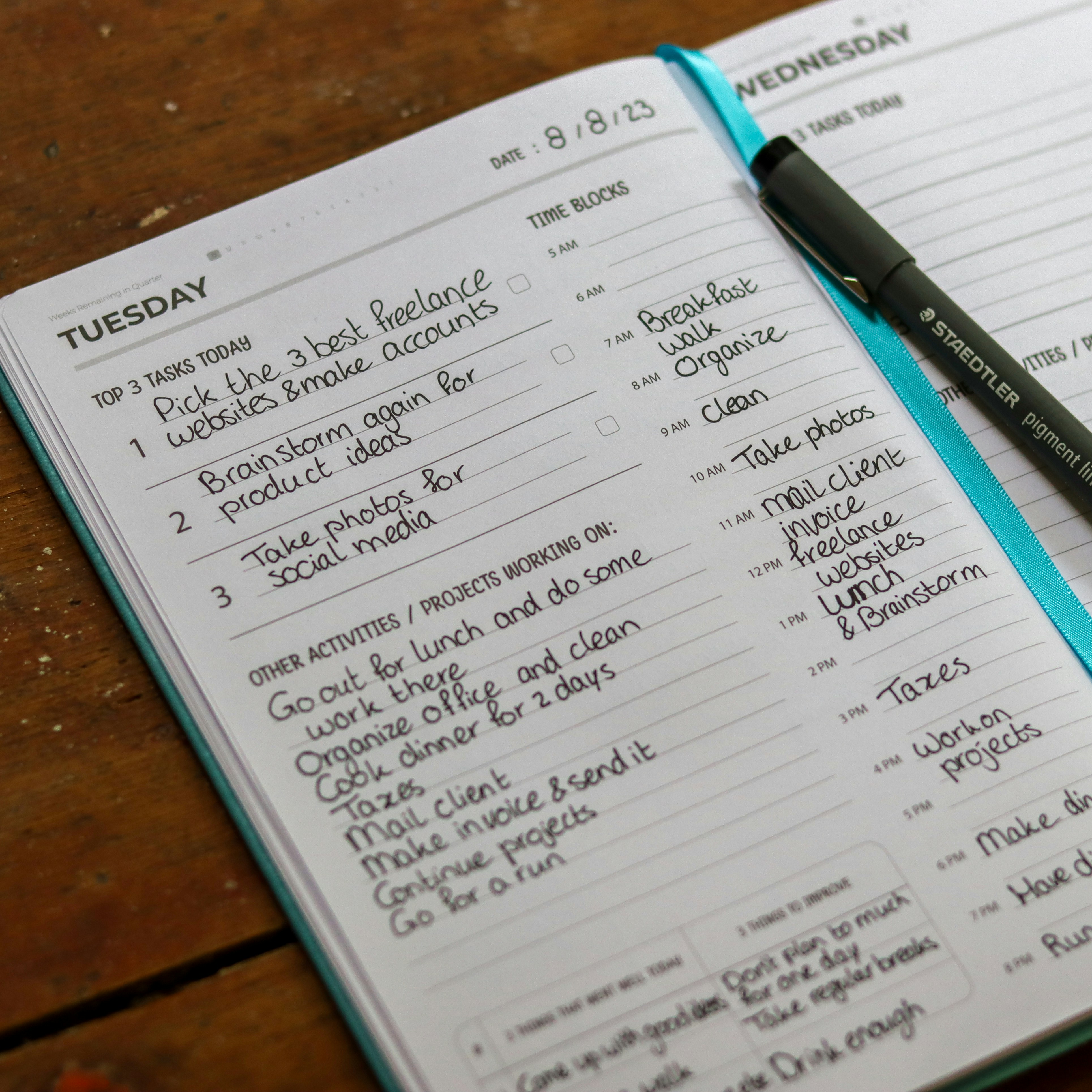
3) Daily Startup Ritual: 10-minute planning that pays all day
A quick morning system keeps your day intentional:
- Step 1: Calendar reality check (2 min). Confirm today’s time blocks, meetings, and deadlines.
- Step 2: Top 3 outcomes (3 min). Write three results you must ship (not tasks—outcomes). outcome-based planning
- Step 3: Micro-scope (3 min). Break the first outcome into 3–5 micro-steps you can start immediately.
- Step 4: Guardrails (2 min). Silence notifications, open only the tools you need, and set a 50-minute timer.
Repeat the ritual after lunch to reset for the afternoon.
4) Time Blocking 101 (and 201): Build a calendar that protects your best hours
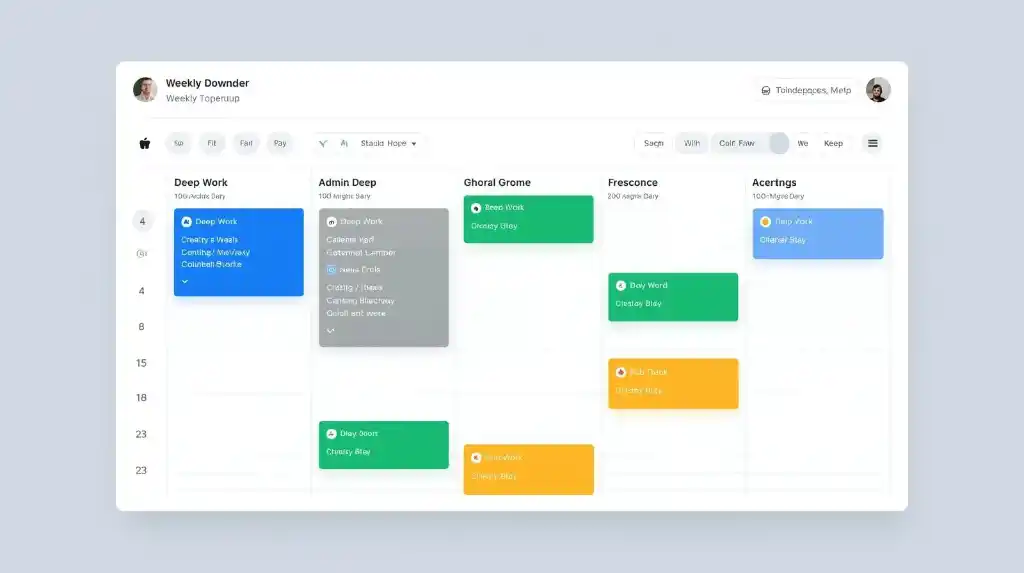
Time management for freelancers thrives on time blocking: assigning calendar blocks to specific work types. Start simple:
- Maker blocks (deep work): 2–3 blocks of 60–120 minutes, mornings preferred
- Manager blocks (shallow work): email, admin, invoices in 20–40-minute chunks
- Meeting windows: confine client calls to 2–3 recurring windows per week
- Breaks: 5–10 minutes every hour + a 30-minute lunch
- Buffer: 15 minutes between blocks for notes and context switch
201: Theme your days.
- Mon: Planning & proposals
- Tue–Wed: Delivery (deep work)
- Thu: Reviews, feedback, and revisions
- Fri: Finance, marketing, and weekly review
This structure stabilizes time management for freelancers because clients learn your rhythm and you do, too.
5) Tracking Your Time (without micromanaging yourself)
Time tracking isn’t about punishment; it’s data for better estimates and pricing. Track by project and task type (ideation, production, revision, meeting, admin). After two weeks:
- Spot under-quoted tasks (e.g., “revisions” actually eat 25%)
- See where your energy peaks (schedule deep work there)
- Identify low-ROI time (automate, delegate, or remove)
Pro tip: Track in real time, not at day’s end—accuracy drives better time management for freelancers.
6) The Pomodoro Stack: Sprints, breaks, and energy rhythms
Classic rhythm: 25/5 (work 25 minutes, break 5) for four rounds, then a long break (15–30 minutes). Many freelancers prefer 50/10 for deeper flow. Use sprints to:
- Start scary work (just one sprint to “enter”)
- Sustain focus during long production
- Pace revisions (two sprints, then stop)
Stack with time blocks: begin each block with a sprint timer, finish with 2 minutes of notes.

7) Boundaries That Stick: Office hours, response SLAs, and “no” scripts
Time management for freelancers collapses when boundaries are vague. Add these to proposals and onboarding:
- Office hours: “Mon–Thu 9:00–17:00; Fri 9:00–13:00 (UTC±00).”
- Response time: “Emails answered within one business day; Slack within four business hours.”
- Turnaround: “Standard asset delivery in 3–5 business days unless rush terms apply.” service level agreement (SLA)
- Revisions window: “Two rounds within 7 days of delivery.”
Polite “no” script:
“Thanks for the request. To keep your deliverables on schedule, I’ve reserved this week’s deep-work blocks. I can take this on next Tuesday 10:00–12:00 or offer a rush slot with a 25% fee. Which works best?”
Boundaries aren’t harsh; they protect quality, sanity, and timelines.
8) Weekly Review: A simple system to learn and improve every 7 days
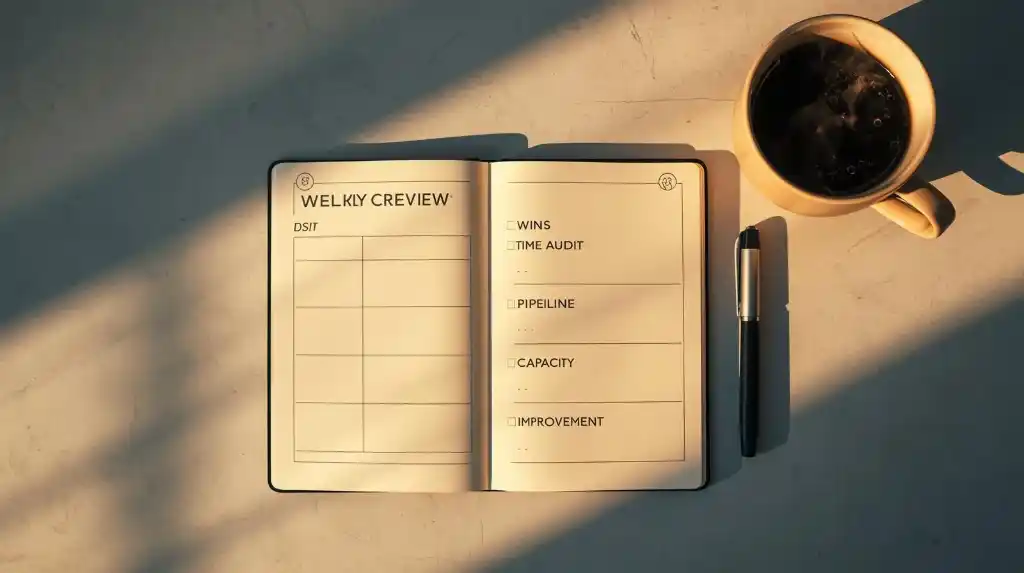
Reserve 30–45 minutes every Friday:
- Wins & shipped: List outcomes delivered. Celebrate.
- Time audit: Which tasks overran? Which estimates were off?
- Pipeline: Leads, proposals, and follow-ups for next week
- Capacity forecast: Blocks available vs. commitments
- Improvements: One friction to remove next week (tool, template, meeting)
Consistent reviews make time management for freelancers adaptive—not rigid.
9) Project Scoping & Estimation: Prevent tomorrow’s time problems today
Bad scope = broken calendar. Nail these:
- Deliverables list: What’s in/out, formats, and source files
- Assumptions: “Client supplies brand assets by [date].”
- Dependencies: Access, integrations, SME interviews
- Revisions: Number, timeline, scope of “minor” vs “major”
- Milestones & approvals: Clear gates before next phase
Estimate using bottom-up tasks + buffer (15–30%). Your time is inventory; price and schedule accordingly.
10) Pricing, Proposals, and Deposits: Business levers that unlock your time
- Deposits: 30–50% upfront to secure slots and reduce no-shows
- Milestone billing: Aligns payments with time spent and de-risks long projects
- Value-based offers: Pair a fixed outcome price with a clear timeline and scope
- Retainers: Predictable hours; protect blocks for best clients
Good business mechanics are the “secret weapon” in time management for freelancers—they stabilize your weeks.
11) Communication Rules: Inbox, chat, and meeting hygiene
- Email: Two windows/day (11:30 & 16:30). Archive ruthlessly.
- Chat (Slack/Teams): Mute channels; use status (“Deep Work—back 12:00”).
- Meetings: Default to 30 minutes. Agenda sent; summary with next steps after.
- Async first: Loom video or shared doc beats a meeting for most updates.
Guard your mornings for deep work; place comms windows later. Your output will thank you.
12) Automations & SOPs: Make repeat work run on rails
Build Standard Operating Procedures for recurring tasks:
- New client kickoff
- Content/asset delivery checklists
- QA, testing, link checks
- Invoice & follow-up cadence
Automate where possible: templates, canned replies, proposal/autosign, invoice reminders, task creation from forms. Automation = compound gains in time management for freelancers.
13) Distraction Defense: Focus modes, blockers, and environment design
- App blockers: Block social/news during maker blocks
- Single-tab rule: Only the doc you’re working on
- Audio: Brown noise or instrumental for focus
- Phone box: Put your phone in another room during deep work
- Visual clutter: Clear desk = clear mind
Design the environment so focus is default.
14) Health & Energy: The fuel behind time management for freelancers
- Sleep first: Treat bedtime as a meeting with tomorrow’s brain
- Movement: Short walks between blocks; 2–3 strength sessions/week
- Food & water: Front-load protein, hydrate early
- Sunlight & breaks: Natural light boosts alertness
- Micro-recovery: 2 minutes of breathing or stretching between sprints
Productivity isn’t a trick—it’s physiology plus systems.
15) Workspace & Systems: Physical and digital setups that reduce friction
- Chair/desk you don’t notice (that’s the point)
- Second monitor for reference; single screen during deep writing/design
- File naming conventions and version control
- Cloud storage with shared client folders and clear permissions
- Keyboard shortcuts for your top tools
Every friction you remove gives minutes back to your best work.
16) Advanced Time Blocking: Theme days, maker/manager modes
- Theme weeks before launches; theme days for admin vs delivery
- Maker mornings, manager afternoons (your brain will love you)
- Soft holds (tentative blocks) for pipeline prospects; confirm or release 48 hours prior
Advanced blocking turns you into a calendar architect, the highest form of time management for freelancers.
17) Collaborative Freelancers: Agencies of one (and tiny teams)
If you subcontract or team up:
- Shared calendar with color-coded owners
- SLA for handoffs (e.g., 24 hours for review)
- Single source of truth (one project board, not five)
- Async status updates (end-of-day bullet points)
Coordination costs are real—budget time for them.
18) Templates (copy/paste and adapt)
A) Daily Plan (Notion/Doc)
- Top 3 outcomes (results, not tasks)
- Deep-work block 1 (objective & start task)
- Deep-work block 2 (objective & start task)
- Admin/comm window (what you’ll process)
- Two 5-minute breaks booked in the calendar
- End-of-day note: what to start tomorrow
B) Time-Block Grid (Calendar)
- Mon: Planning/Proposals (AM), Delivery (PM)
- Tue–Wed: Delivery (AM/PM)
- Thu: Revisions/Reviews (AM), Delivery (PM)
- Fri: Finance/Marketing (AM), Weekly Review (PM)
C) Weekly Review (Checklist)
- Shipped outcomes list
- Time audit (top 3 deviations)
- Pipeline (leads, proposals, follow-ups)
- Capacity next week (blocks available)
- Improvement: one friction to remove
D) Client Kickoff (Email Template)
- Recap scope, milestones, and communication windows
- Assets & access needed (with due date)
- Meeting cadence and agenda pattern
- Delivery format and revisions policy
- Next action + calendar invite
19) Case Studies
Designer (Brand + Web)
- Pain: Revisions and feedback chaos
- Fix: Two weekly feedback windows; annotated design links; revision form that maps comments to elements
- Result: 30% fewer back-and-forth messages; more predictable time management for freelancers
Developer (Productized Features)
- Pain: Scope creep and support pings
- Fix: Feature menu with SLAs, support windows, and a ticket form that triages priority
- Result: Fewer emergencies, clearer sprints
Writer/Content Strategist
- Pain: Research overflow and late approvals
- Fix: Research limits (hours), source checklist, editorial calendar with approval deadlines
- Result: Cleaner drafts, fewer “last-minute” edits
Marketer/Ads Manager
- Pain: Constant small tweaks; meetings for every change
- Fix: Weekly optimization window with Loom reports; request form; rush option with fee
- Result: Focused deep work, fewer meetings, better performance
20) Common Mistakes (and fast fixes)
- No buffer time: Schedule 15-minute buffers; protect them
- Vague tasks: Convert to micro-steps with verbs (“Draft H1–H3,” “Export assets”)
- Meetings drift: Always end with owner + deadline
- Everything urgent: Use an intake form with due dates and priority
- Skipping reviews: Put the weekly review on your calendar like a client call
21) FAQ
Q: How many hours should I work?
A: Aim for 2–4 hours/day of true deep work, plus 1–2 hours of admin/comms. Protect the deep hours fiercely.
Q: What if a client ignores boundaries?
A: Restate policies, offer options (next slot vs rush fee), and escalate in writing. Boundaries protect quality for them, too.
Q: Do I need Pomodoro?
A: Use it to start or sustain focus. If you’re in flow, keep going—tools serve you, not the other way around.
Q: Should I time track if I sell fixed-price packages?
A: Yes. Time data improves scoping, margins, and scheduling.
22) 30-60-90 Day Plan
Days 1–30 (Install)
- Add daily startup ritual and two deep-work blocks
- Confine email/chat to two windows
- Track time by project and task
- Draft boundaries into a one-pager and add to proposals
Days 31–60 (Refine)
- Introduce theme days and meeting windows
- Build a weekly review habit
- Create one SOP and one automation/week
- Improve your scoping template with assumptions and buffers
Days 61–90 (Scale)
- Productize services or define retainers
- Add a client request form with SLAs and rush terms
- Delegate or automate a low-ROI task
- Run a capacity forecast for the next quarter
This staged approach ensures time management for freelancers becomes habit, not a sprint.
23) Glossary
- Deep Work: High-focus creation requiring uninterrupted time
- Maker/Manager Schedule: Creative production vs coordination
- SLA: Service level agreement (response/turnaround timers)
- Scope: Boundaries of work included in a project
- SOP: Standard Operating Procedure (repeatable steps)
24) Resources (tool ideas you can make DoFollow)
- Toggl Track — time tracking and reports
- Clockify — time tracking, teams, and budgets
- Google Calendar / Outlook — time blocking and buffers
- Notion / Obsidian — docs, templates, and knowledge base
- Asana / Trello / ClickUp — projects and task boards
- Freedom / FocusToDo — app/site blocking + Pomodoro
- Loom — async video updates for clients
- Calendly — bookable meeting windows
- PandaDoc / HelloSign — proposals and e-sign
- QuickBooks / Xero / Wave — invoicing and accounting
(When you publish, mark these as DoFollow where appropriate.)
25) Conclusion & Next Step
Great time management for freelancers is less about hacks and more about habits: plan before you produce, block your best hours, track how long things really take, set boundaries, and learn from weekly reviews. Start with one change today—your morning startup ritual or a single deep-work block—and let the system grow with you.
Next step (10 minutes):
- Add two deep-work blocks to your calendar this week
- Write your Top 3 outcomes for tomorrow
- Schedule a 30-minute weekly review for Friday
Your best work—and your best days—are waiting behind a calendar that finally supports you.